Stickman Hook
In a stickman hook game, players catch a hook point and swing across gaps between platforms. Holding keeps the stick figure on the rope, and letting go sends it into the air. Each release sends the figure toward the next platform or another hook point across the gap. How far can you go? Start a rope course now and put your release timing to the test!
Featured Game — Stickman Swing
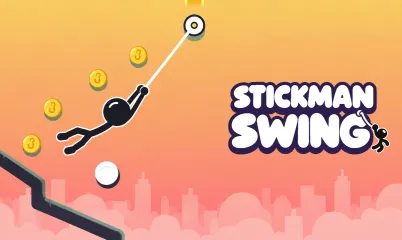
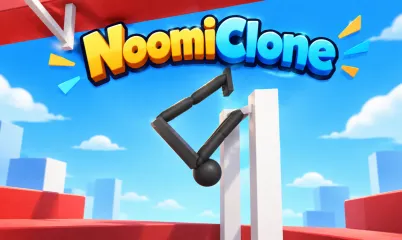
Stickman Swing is a one-touch platformer with a stick figure swinging against a sunset city skyline. The rope reaches for the nearest hook point, and releasing on the upward swing carries speed forward. White bumpers bounce the figure, while tilted launchers send it high and far. The first 65 levels introduce tricks one at a time, starting with a swing over a pit. Later courses include a longer boss level every tenth level from level 70 onward.
A clear earns one star, and clearing the course without falling earns a second. Players earn the third by clearing without a fall and collecting most of the coins. After 10 levels, the level map lets players revisit cleared courses for missing stars.
Swing, Stick, Skill
The Swinging Games collection includes Swing Star for players looking for another rope course. Players who enjoy judging when to let go on the upward swing can browse Skill Games. For more movement games, the Jumping and Platform pages provide two more ways to browse.
The Stickman collection has its own page alongside the swinging and skill collections. Players here also spend time on Stickman Boost 2, Mechastick Fighter, and Ragdoll Flip. Pick a rope course for your next swing or start with one of the stickman games!
FAQ
Do players need to download anything?
Stick Hook offers free games that players can open directly in a browser without a download. The featured game runs on desktop, phone, and tablet in both portrait and landscape orientations. Its six languages are English, Spanish, Portuguese, French, German, and Italian.
How do players attach and release the rope?
On a keyboard, players can hold Space, Enter, or the Up arrow to attach the rope. With a mouse, players hold the button to hook and release the button to let go. On a touch screen, players touch and hold to hook, then lift a finger to release. If the figure falls off the course, the level starts again right away.
When do Race and the challenges open?
Race and Daily Challenge open after players clear five levels. In Race, players compete against four rivals across 21 tracks, with medals awarded for first through fifth place. Daily Challenge gives every player the same new course each day. Challenge opens after level 25 and offers 30 harder courses for players who want to tackle tougher swings.
How do players share a course from the Level Editor?
The Level Editor opens after level 10, and players can tap or click to place pieces. Players can build courses with hook points, bumpers, launchers, walls, and pillars, then test the layout. A course must be cleared by its creator before a share code becomes available. My Levels holds up to 30 courses, including ones from friends, and records a best time for each.
How do players unlock characters?
The game has 38 characters to collect, including a taco, a capybara, and a golden guardian. Players unlock characters by clearing levels or challenges, collecting Race medals, or watching a video. Coins can also buy any locked character, and rewards include three daily missions and a seven-day streak.
Can players move their progress to another device?
The Backup option in Settings creates a code players can load on another device. The code carries over progress, unlocked characters, coins, and saved levels.